

The free Windows program WinSCP (FileZilla for Macintosh and Linux users) is highly recommended for transferring your files from Engineering servers (H: drive, Departmental G: drive, and Senior Design drives ) to your remote computers. It is preferred over FTP because FTP programs transmit your username and password across the internet to our servers in plain text (where it could be easily intercepted by unfriendly people). WinSCP encrypts transmissions and hides your password.
You must download and install WinSCP on your remote PC. The software may be downloaded from AU Install. When you install the program, you will create a new session. The session requires the name of the SCP server. The College of Engineering SCP server is:
scp.eng.auburn.edu
A sample session is shown below. You connect using your Auburn University username and password. Click Save... to save this session for future use.

FileZilla for Mac and Linux (Windows can use this also)
1. Open a web browser and go to https://FileZilla-project.org/download.php and click the Download FileZilla Client button.
2. If prompted to choose an edition, choose the regular “FileZilla” version with the least number of features by clicking the Download button.
3.Run the installer
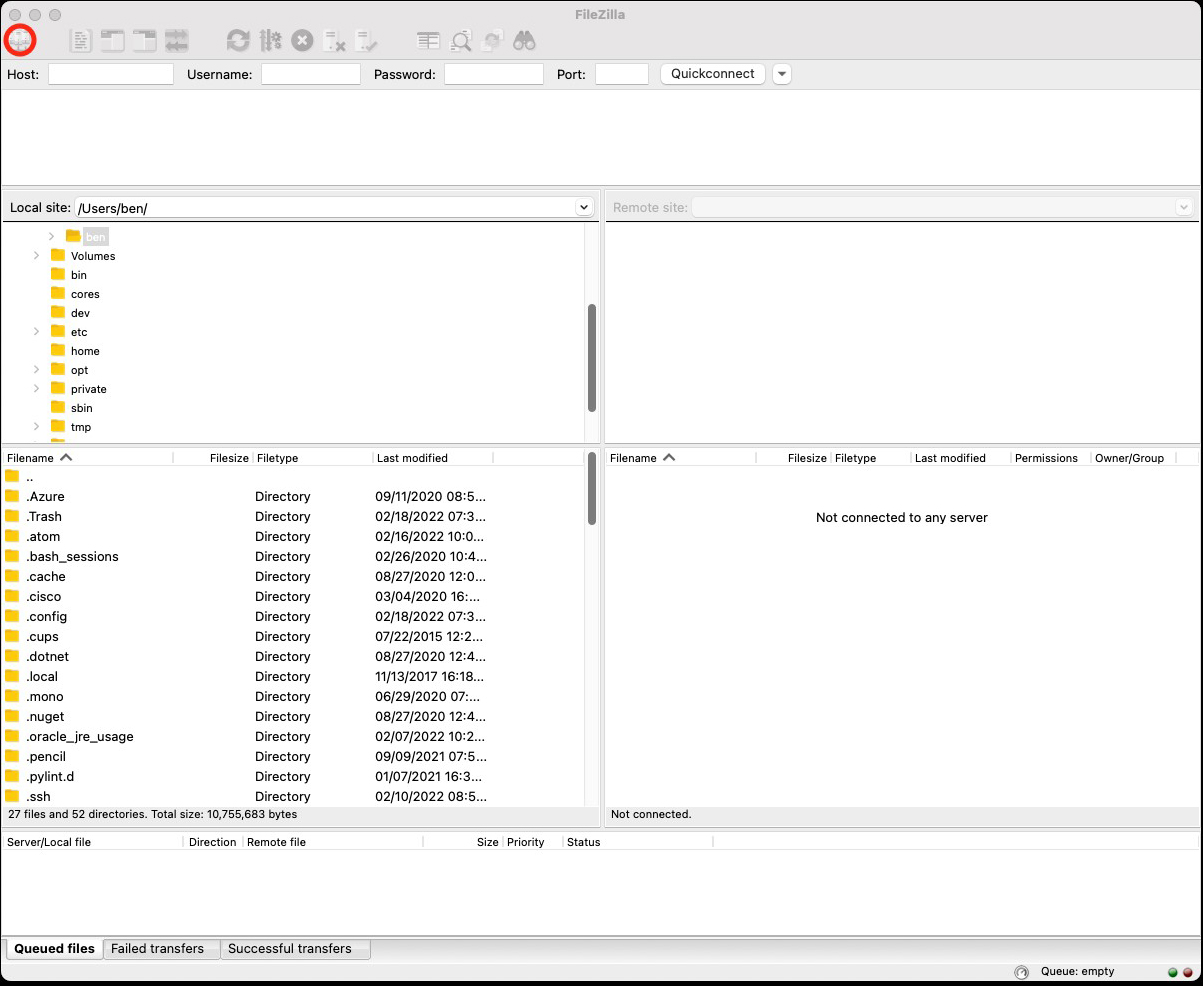
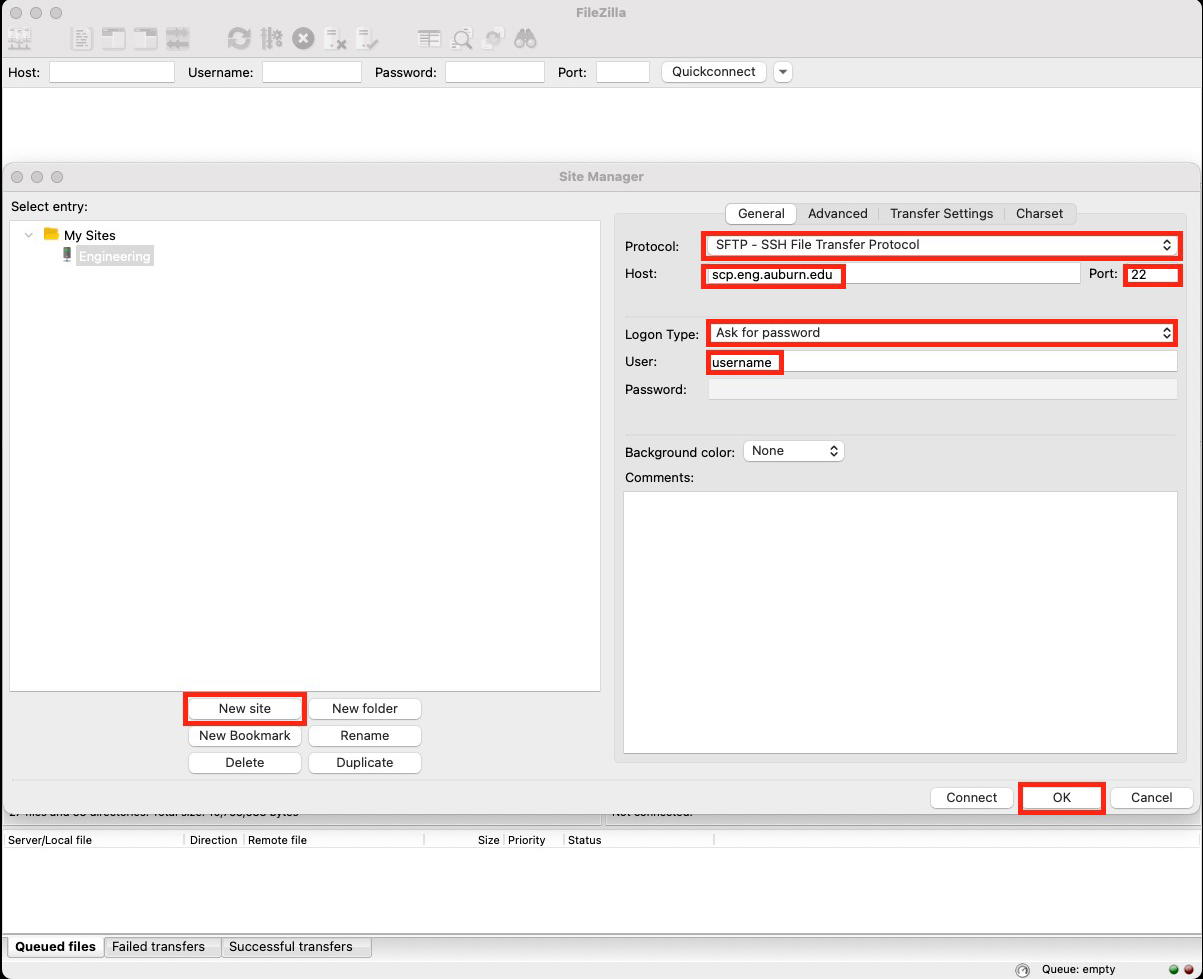
5. Click the New site button (Note: You can immediately type a name for the new site or click the Rename button. In this example, the site is named “Engineering”.)
 6. It is recommended that you choose Do not save passwords for the “Remember passwords?” window and click the OK button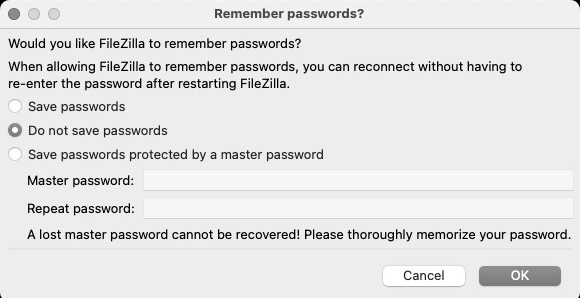
7. Type in your Auburn password when prompted and click the OK button
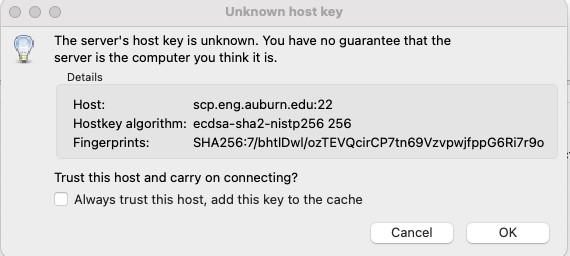
8. To connect, click the OK button for the “Unknown host key” window
9. By default, you are connected to your home directory (H: drive). You can change directory by typing the full path in the Remote site: field and pressing the Enter You can also create bookmarks of your remote directories by clicking Bookmarks in the menu bar and selecting Add bookmarks…. You can disconnect from the server by clicking Server in the menu bar and select Disconnect (recommended) or just closing the window.